Written by the people who make it
Geopapa, with the limits listed first.
This is our own app, so treat the enthusiasm accordingly. What we can usefully do on a page like this is tell you what it will not do, which is the part you normally discover after paying.
What Geopapa does not do
- App blocking does not reach an iPhone child phone, and there is no website filtering on either platform. On an Android child phone it blocks apps and caps their daily time — see below — but website filtering is a job for Screen Time or Family Link, covered here.
- It does not give you access to private messages in WhatsApp, Instagram or any other app. It has its own family chat and that is all it can see.
- SOS does not call the emergency services. It alerts the connected parent accounts. Your family still needs to agree who rings 999, 112 or 911 and when.
- It is not covert. Setup needs the child's phone in your hands, the companion app installed, a pairing code entered and permissions granted. A phone number alone connects nothing.
- It cannot beat physics. No new position arrives while the child's phone has no signal, and alerts arrive late when reception or background permissions get in the way. What you see is the last report and the time it came in.
- Sound around the child is Android-only and needs microphone permission plus an appropriate plan — and, in our view, a conversation with your child before you switch it on.
What it does
A map with the time attached
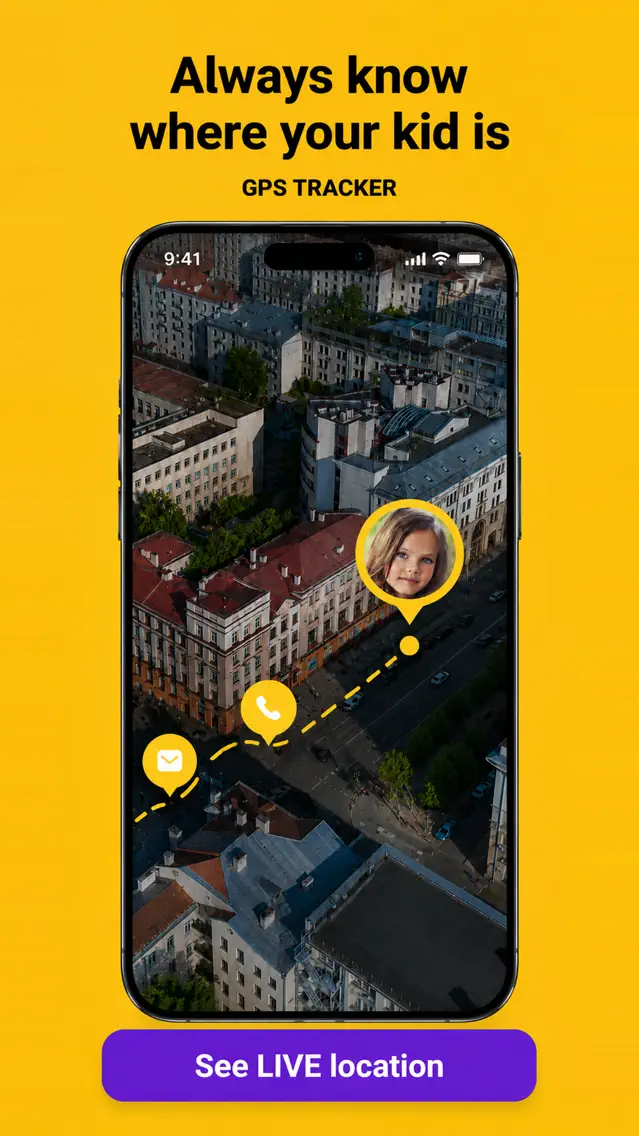
Pick a child in the parent app and see where their phone last reported from, with the timestamp of that report shown next to it. The timestamp matters more than the pin: a position from four minutes ago and one from four hours ago look identical on a map and mean completely different things.
Location history by day
Open history and choose a day or a time interval to see the recorded points between school, activities and home. This is the feature parents use to stop asking "where were you at six" — usually once, then never again.
Saved places with arrival and departure alerts
Draw an area around school, home or football, choose arrival, departure or both, and set which days and timings you want. Family Link and Apple Find My also support location notifications. Compare the settings and the rest of the family workflow before deciding which app to use.
Chat, SOS and battery
A family chat for pickup times and changes of plan. An SOS the child sends deliberately from their app, which alerts every connected parent. The child's reported battery level, which answers the "why are they not replying" question more often than anything else. On supported devices there is also a loud signal for getting a child's attention, though whether any alert overrides silent mode depends on the phone's own settings.
App blocking and time limits, on Android
With an Android child phone, the parent app lists the apps installed on it, with today's minutes shown next to each one. Switch an app off and it stops opening on the child's phone: the child sees a full-screen notice saying the app has been blocked by a parent and lands back on the home screen. A long press on an app sets a daily time limit for it instead of blocking it outright; once the minutes are used up it behaves like a blocked app until the next day. Changes reach the child's phone within moments while it is online.
The honest caveats. It is set up from the Android parent app; the iPhone parent app does not have this screen yet. It works through Android's accessibility service, so the child's phone has to grant Geopapa Kids accessibility, "display over other apps" and usage access — the child app walks through all three during setup. A child with the phone in hand can switch accessibility off again; when that happens the child's phone shows a persistent "protection is off" notice and your parent app shows a warning that the rules are not being applied. Phone settings, the dialer and the home screen are never blockable, so emergency calls stay reachable. There is no bedtime schedule and no whole-phone daily limit in the parent app at the moment — for those, Family Link is still the tool. With an iPhone child phone these Geopapa app controls are not available; check Apple’s Screen Time for the controls built into that device.
Tasks with rewards
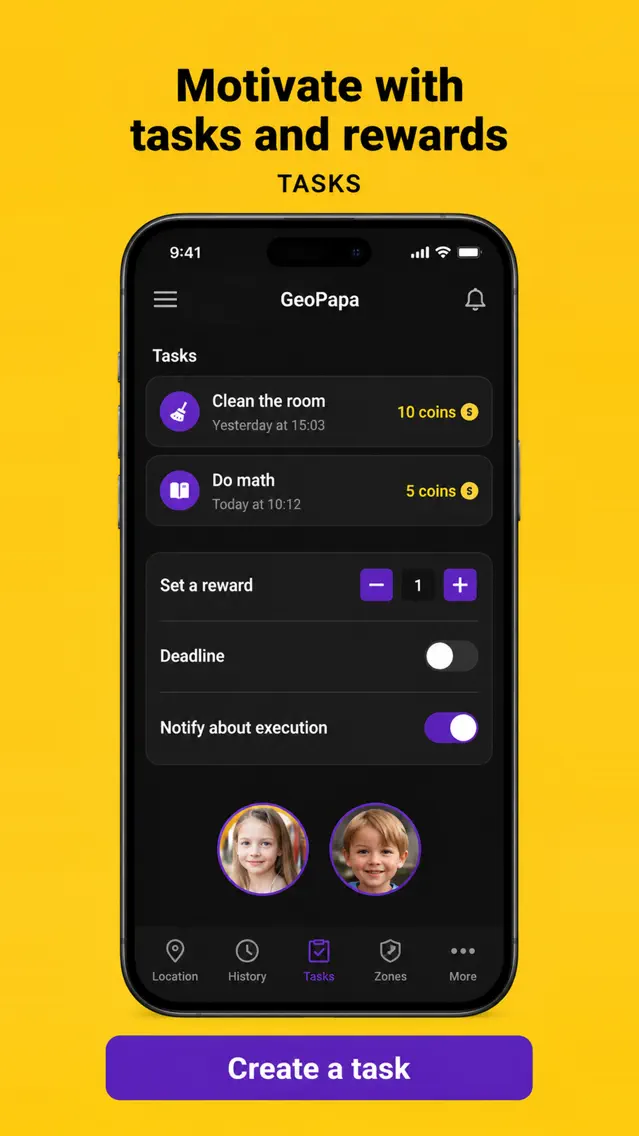
Set a task, attach a reward and a deadline; the child sees it in their app and you follow progress in yours. It is a small feature and it is the one that makes children open the app voluntarily, which is worth more than it sounds.
Comparing tools? Read how to choose parental control with location tracking by device and feature.
What you need before you start
| Requirement | Detail |
|---|---|
| Parent phone | iPhone or Android, running the Geopapa parent app |
| Child phone | A supported phone of their own, with the companion app installed — Geopapa Kids or Funfriend, depending on region |
| Both phones present | For pairing: the parent app shows a code, you enter it on the child's phone |
| Permissions on the child's phone | Location including background access, and notifications. Microphone only if you intend to use the Android sound feature |
| Connectivity | Mobile data on the child's phone. No data, no updates |
| App blocking and time limits | Android child phone, with accessibility, "display over other apps" and usage access granted to Geopapa Kids. Managed from the Android parent app; not available for an iPhone child, and not yet in the iPhone parent app |
| Cost | Free to download, with in-app purchases. Availability and features vary by country and device |
Battery-saver modes and system updates switch background location off again, quietly, weeks after a working setup. If positions go stale, that is the first thing to check — Geopapa has a troubleshooting guide for exactly this.
Setting it up in about ten minutes
- Install Geopapa on your own phone first and create the account.
- Choose to connect a child. The app shows a pairing code and how to install the companion app; some Android flows offer a QR code or link.
- On the child's phone, install the companion app and enter the code. Codes expire — generate a fresh one if it has been sitting there.
- Work through the permission prompts together and say out loud what each one shares. This is the moment that decides whether the app feels like a shared arrangement or like surveillance.
- Check the first position arrives in your app, then save one place — school is the obvious one — and set an arrival alert before you start relying on it.
The official connection guide has the current screens.
Who it suits, and who it does not
A good fit if: your child has started going places alone and you want arrival notifications rather than a map you check; your household mixes iPhone and Android; you want location history; you want the child to be able to reach you deliberately; your child is on Android and you want to block a few apps or cap their daily time from an Android phone of your own.
Look elsewhere if: your child is on an iPhone and app restrictions are the main thing you want — Screen Time does that and costs nothing; you want bedtime schedules or a limit on the whole phone, which Family Link does for free; you need website filtering; you want to monitor a child covertly, which this app is not built for.
Geopapa for Parents
Family map, saved places with arrival and departure alerts, location history, chat, SOS and tasks, plus app blocking with time limits on an Android child phone. Set up together, on both phones.
Get Geopapa for ParentsiPhone & Android · Free to download · In-app purchases · Availability varies by country
Privacy, plainly
Location is shared with the parents connected to the child's account, so keep pairing codes and account access inside the family. Removing the app is not the same as deleting the account — deletion is a separate request, and support@geopapa.com handles it. The privacy page covers retention and processing in full; do not take this summary as a substitute for it.
Common questions
Can I use it if my child has an iPhone and I have Android?
Yes — the parent and companion apps exist on both platforms. Two features require an Android child phone: sound around the child, and app blocking with time limits. App blocking is also managed from the Android parent app only, for now.
Can both parents see the same child?
Yes. A second parent can be invited to the family. Share that access only with people you intend to include; it is not easily partial.
How accurate is the location?
As accurate as the phone's own positioning, which varies with GPS reception, nearby networks and settings. Indoors and among tall buildings it can be out by a noticeable distance. No app promises an exact position at every moment, and any that does is overselling.
What if my child turns it off?
Updates stop and you will see that they have stopped. That is a conversation rather than a technical problem, and it is the same on every app in this category.
Can my child get around the app blocking?
A determined one, yes. The blocking runs through Android's accessibility service, which the child can switch off in the phone's settings. It is not silent: the child's phone shows a persistent notice that protection is off, and your parent app shows a warning until it is switched back on. Treat it like the built-in controls — a visible speed bump that makes the agreement clear, not a wall.
Illustrations updated 24 September 2026 from the official Geopapa App Store listing. Promotional previews; the interface can vary by version.