Built-in versus bought
The parental controls you already have.
Before you compare paid apps, spend twenty minutes with the controls Apple and Google ship for free. They cover most of the list, they do not expire, and they cannot be uninstalled by a determined eleven-year-old as easily as a third-party app can.
What each platform gives you
| Capability | iPhone — Screen Time | Android — Family Link |
|---|---|---|
| Daily limits per app or category | Yes | Yes |
| Downtime / bedtime schedule | Yes | Yes, including remote lock |
| Approve new app installs | Via Ask to Buy in Family Sharing | Yes |
| Age ratings for apps, films, music | Yes | Yes |
| Web content filtering | Yes, in Safari and supported browsers | Yes, in Chrome, plus SafeSearch |
| Location of the child's device | Via Find My, within Family Sharing | Yes, in the Family Link app |
| Arrival / departure alerts for a place | Per-person notifications in Find My | Yes, for saved family places with location accuracy enabled |
| Contact restrictions | Communication Limits | Supervision of calls and contacts varies by device |
| Works across an iPhone parent and an Android child | No | Parent app exists for iPhone; child must be Android |
Two things to note from that table. First, nearly every item on a paid product's feature list is already there. Second, the two ecosystems do not meet in the middle — that mismatch is the single most common reason families end up comparing dedicated family apps. Family Link does support an iPhone parent supervising a supported Android child device.
Need both a map and screen rules? Our guide to choosing a parental control app with location tracking separates the requirements.
Set the free tools up properly first
- Make the child account a child account. With the real date of birth, inside Family Sharing or a Family Link family group. Almost every "the controls do not appear" problem traces back to a child signed in to an adult account.
- Turn on install approval before anything else, so the settings you choose are not routed around by a new app on Saturday.
- Set downtime, then one or two app limits. A wall of limits gets disabled within a fortnight; two that you enforce survive.
- Lock the settings with a passcode the child does not know — and different from the phone's unlock code, which they will watch you type.
- Check it from your own phone a day later. Both systems have quiet failure modes where a setting appears saved but never reached the device.
Check which devices and apps a rule covers. A limit on one phone does not establish a limit on another device. Family Link restricts changing the device clock while screen-time limits are active. Review the actual settings together and keep your family agreement clear.
Four requirements to compare before paying
Use these requirements to compare the tools you already have with a dedicated family app. Some are covered by free options; a paid product needs to offer a combination that is useful to your family.
1. Mixed platforms
An iPhone parent and an Android child, or two children on different systems. Family Link has an iPhone parent app for supported Android child devices. Compare the exact parent and child device combination before deciding whether a dedicated family app adds something useful.
2. Arrival and departure alerts
Both Find My and Family Link support location notifications. Google’s Family Link instructions describe saved family places and arrival and departure alerts; Apple’s family sharing guide also covers notifications. Compare their settings on your phones with the workflow offered by a dedicated locator.
3. A route, not just a pin
Location history, for the afternoons when "I was at Sam's" and the map disagree. Neither platform gives parents a readable day-by-day history of a child's device.
4. Something the child can send you
An SOS or a check-in from the child's side, and a chat that is not tied to a social app you would rather they did not have yet.
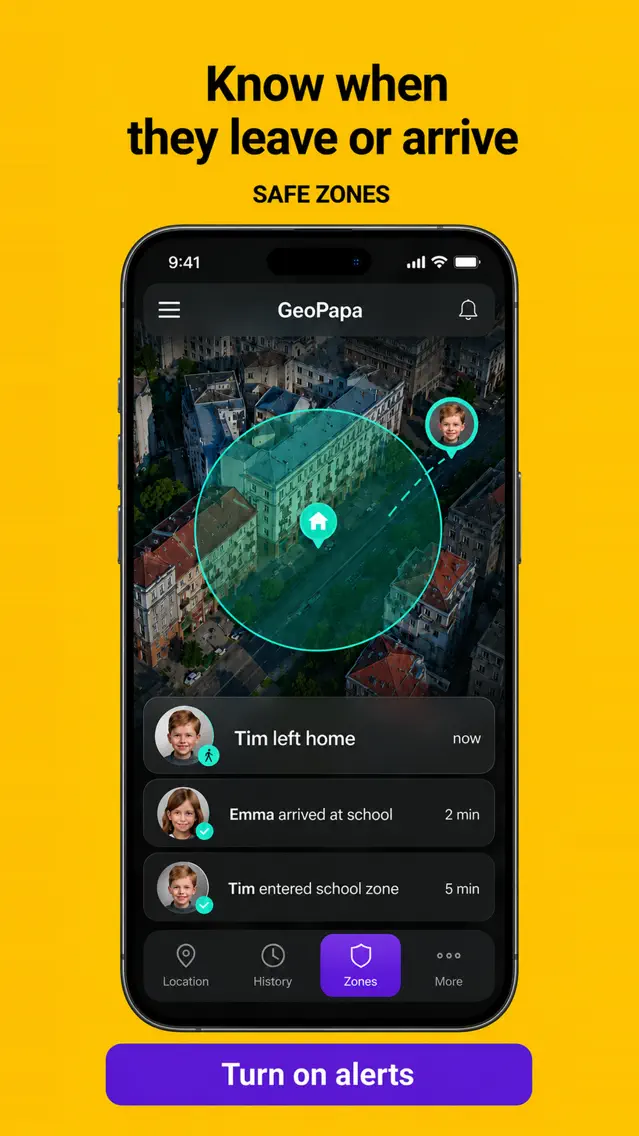
Our app combines family location and communication
Geopapa is a cross-platform family locator with saved places, arrival and departure alerts, location history, family chat and an SOS from the child's app. On an Android child phone it also blocks chosen apps and caps their daily time, managed from the Android parent app. It does not restrict apps on an iPhone, do bedtime schedules, filter websites, or read messages in other apps — the full list of what it does not do is here.
Get Geopapa for ParentsiPhone & Android · Free to download · In-app purchases
What to be sceptical about
- "Read their WhatsApp / Instagram messages." On a normal phone, apps cannot read another app's private messages. Claims like this usually mean screenshots of notifications, an accessibility service the child can switch off, or software requiring the device to be modified — which breaks updates and may be illegal depending on whose phone it is and where you live.
- "Completely invisible to the child." Anything hidden on a phone belonging to someone else raises legal questions, and a child who finds it — they do — will treat everything you said about trust as negotiable.
- "Works even when the phone is off." Geopapa needs the child’s phone powered on and connected to send new reports. Platform-specific offline device-finding networks are a different feature and should not be assumed to provide an app’s live family location.
- Lifetime licences on subscription products. This category has a long history of services closing — including the one that used to be on this domain.
Common questions
Is a free app enough, or should I pay?
Start free. Use it for a month, write down what you wanted and could not do, then pay for exactly that. Most families who buy early buy the wrong thing.
Can I set up parental controls without my child knowing?
Technically some of it, yes. In practice, controls discovered later cost you more than they bought. Both platforms show the child that supervision is on, and reputable apps are set up on the device with the child present.
My child turned off location sharing. Can I stop that?
Not completely, on either platform — a child can revoke permissions or put the phone in a bag. You can see that sharing stopped, which is the actual signal. Treat it as a conversation rather than an arms race.
What about a smartwatch instead of a phone?
For under-tens, a kids' watch with calls to approved numbers and location covers most of the need without the internet attached. The trade-off is battery life and another subscription.
Illustrations updated 24 September 2026 from the official Geopapa App Store listing. Promotional previews; the interface can vary by version.